At a glance
- Problem: A complete profile powers everything the platform planned next, but filling it in by hand was long and tedious.
- What I did: Designed an AI résumé import where the AI proposes and the user decides, item by item, without ever overwriting data without consent.
- Outcome: Approved at every stage and now in development. As the product's first AI feature, it set the patterns future AI features build on.
Context & challenge
A global HR services company was renewing its long-running outplacement platform with AI, starting with My Profile: a hub that would later power job search, résumé generation and reskilling suggestions. All of it depends on how complete a profile is. Importing a résumé with AI was the obvious shortcut. Obvious, not simple:
- Sales wanted visible AI, but an AI import has a "so what?" problem: the "aha!" only comes later.
- No proofs of concept: we'd design around AI behavior we couldn't test in advance.
- A brand-new team: client and studio people working together for the first time, alongside separate dev and AI teams.
- AI risks: misread or invented data, cost per request, slow responses.
How might we use AI to fill in a complex profile quickly, without ever making users feel they've lost control of their own story?
My role
External partner from a US design studio and the only UX designer, working inside the client's product team. Over seven months I designed every section of My Profile, plus the AI import that fills several of them at once.
- Vision & discovery: collaborated on product strategy and led discovery.
- End-to-end design: feature maps, research prototypes, final designs, user stories, handoff and dev support.
- Focus: only the people each decision needed, and the simplest viable design first.
- Alignment in three stages: concept → full flow → final designs.
Discovery
- Not in onboarding. Onboarding was already long, so the AI import became a deliberate action inside My Profile.
- Merging is harder than importing. Most profiles aren't empty. Before any screen, I led the team to one shared map of the pipeline, from upload to suggestion, including every conflict with existing data.
- A bigger system. Users assumed their coaches could see their profile; they couldn't. Tracing why led to a cross-product AI strategy proposal.
Key decisions
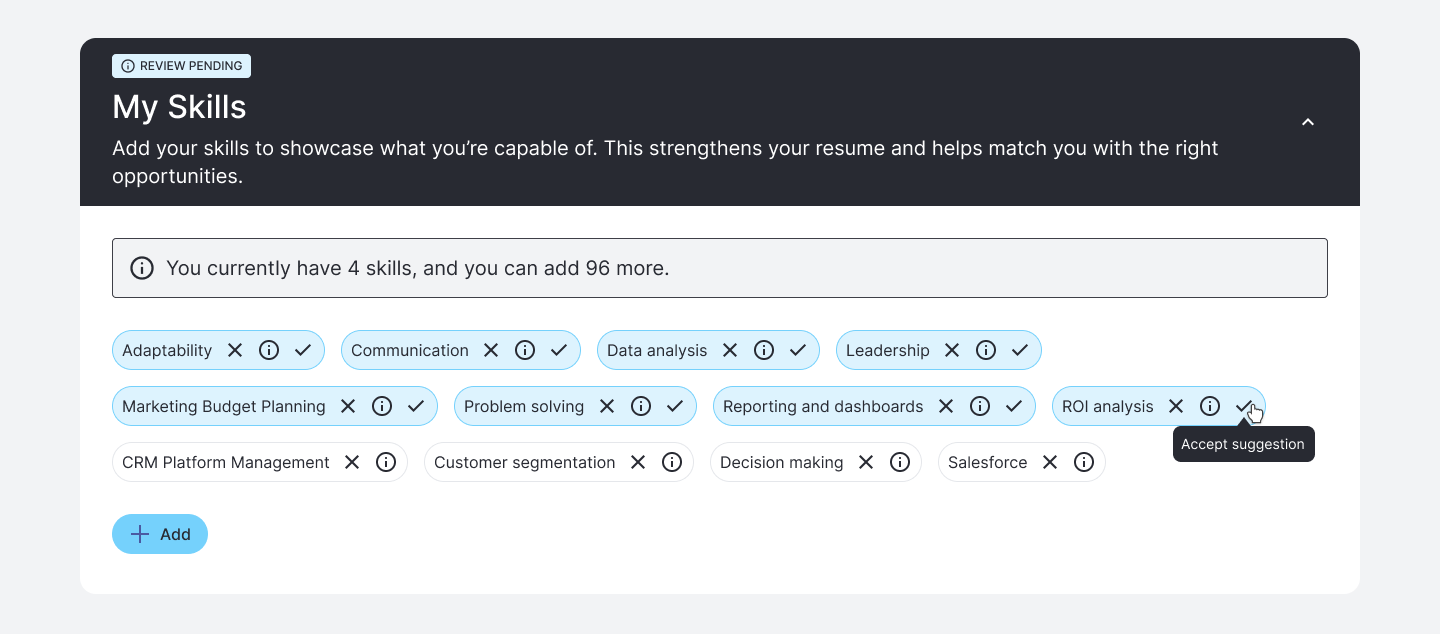
1. Nothing enters the profile without approval
Why: the profile is personal, and AI parsing errors were a known risk.
2. Field-by-field choice when data conflicts
Why: conflicts are rarely all-or-nothing, so users keep what's right on both sides.
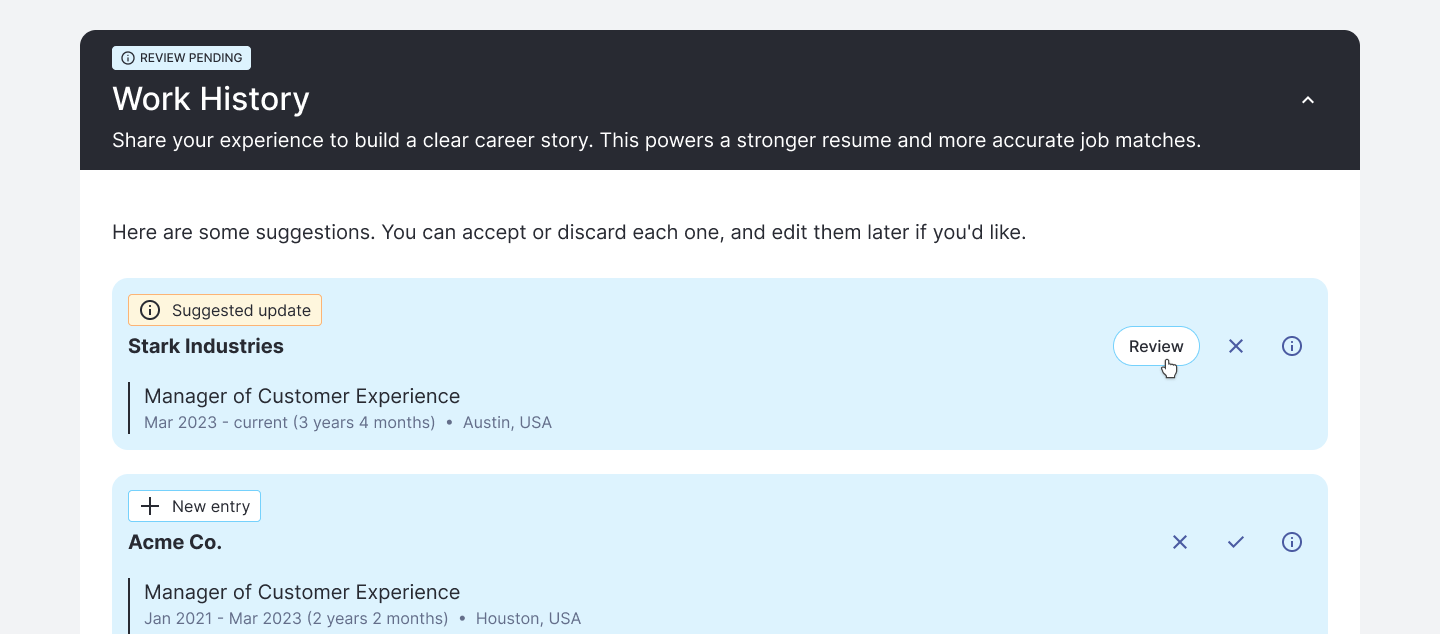
Interactive prototype · opens in a new tabReview an AI-suggested update, field by field
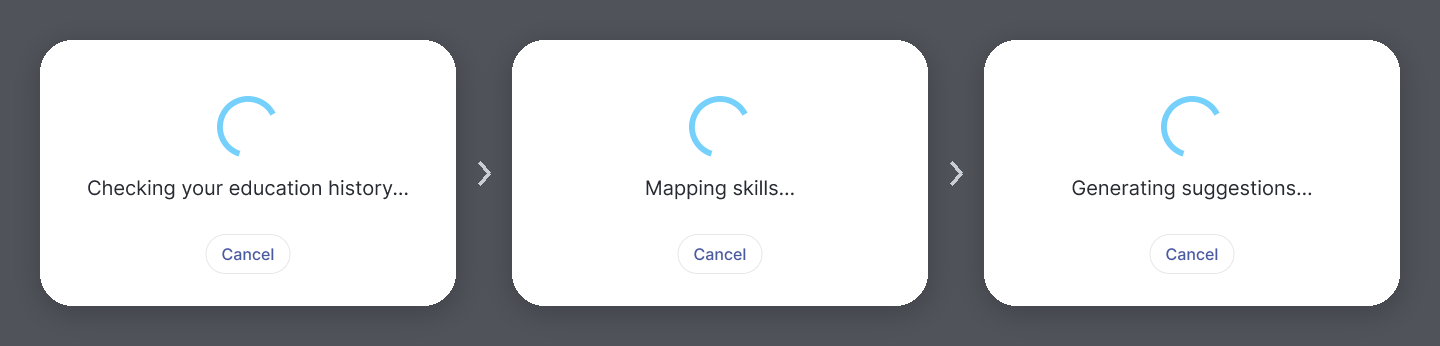
3. Design for how AI actually behaves
Why: processing time is unpredictable, and every failure needs a way forward.
- 1My draft, with product
- 2The devs' own list
- 3Merged, each with a way forward
Try another file8
- Size limit exceeded
- Format not supported
- Password-protected
- Empty file
- Corrupted or unreadable
- No extractable information
- Language not supported
- No suggestions
Try again2
- Processing timeout
- Generic failure
Continue, with a warning1
- Low confidence
Prevented upfront1
- Import limit reached. The button is disabled, with a tooltip explaining why.
Interactive prototype · opens in a new tabAI résumé import, from upload to suggestions
How it was built
Two-week sprints, one section at a time. Manual entry first, then the AI-powered import for each section, reusing the same story pattern and evolving it.
- #1Goals
- #2Preferences
- #3Work History
- #4Education History
- #5AI import · Education
- #6AI import · Work, + conflicts
- #7AI import · the file itself
- #8Skills, manual + AI import
- #9AI-suggested occupations
The pattern, applied: AI-suggested occupations
The next AI feature in My Profile was built on the same foundation: progress states, "review pending" and accept or discard, item by item. What's new is that the AI learns from the user's choices:
- Accepted, discarded and manually added occupations all shape the next round of suggestions.
- Discarded occupations stay in a list the user can restore, so the AI doesn't suggest them again.
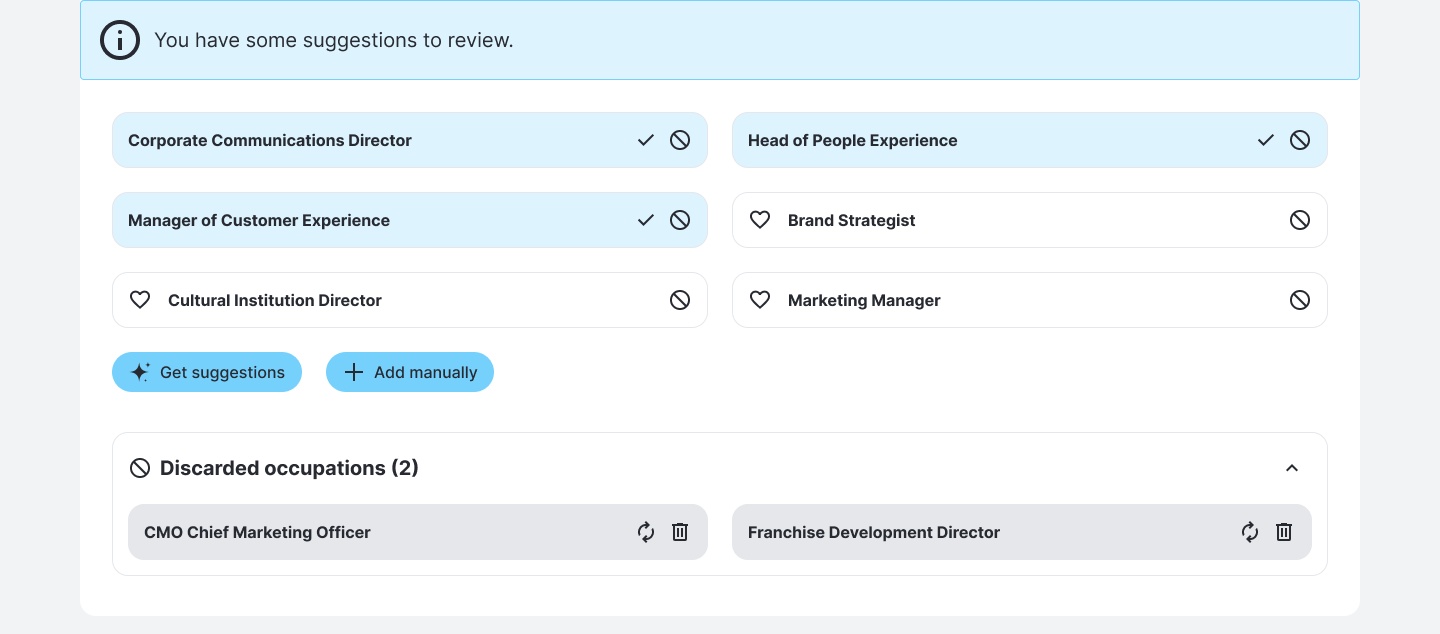
Interactive prototype · opens in a new tabGet AI-suggested occupations
Outcome
- Approved at every stage, and now in development.
- A blueprint for AI across the company: the AI proposes and the user decides, waiting is honest, and conflicts are resolved field by field.
- A foundation for the product: complete profiles feed everything planned next.
Reflection
Next time, I'd push harder for an early technical spike with the AI team. It would have de-risked data quality and response times sooner.
Next case · 02